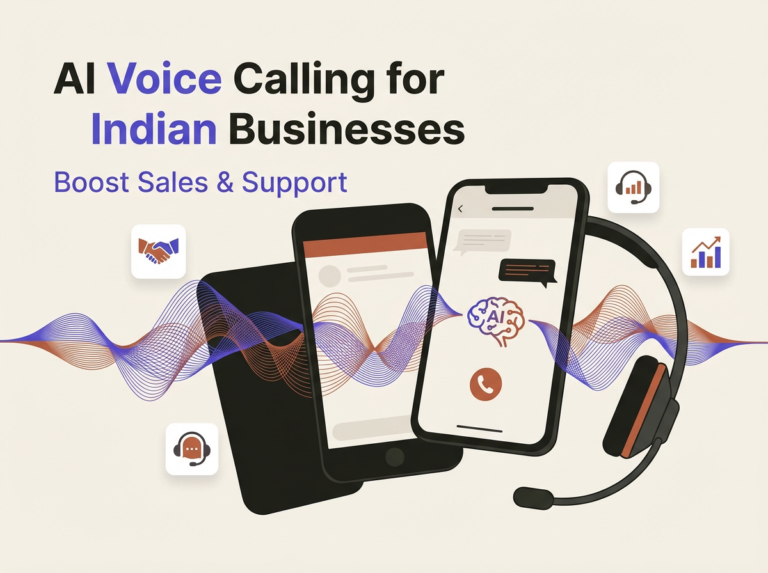
AI Calling Software: Complete Guide to Voice AI for Business & AI Phone Agents (2025)
Discover the best AI calling software and voice AI for business. Learn how AI phone agents, automated calling systems, and AI receptionists can transform your customer communications.
Estimated reading time: 7 minutes
Table of contents
- What is Voice AI?
- Why Voice AI for Business Matters
- AI Calling Software: Key Capabilities
- AI Phone Agent: Features & Functions
- Automated Calling System: Use Cases
- AI Receptionist: 24/7 Front Desk
- Voice AI Implementation Guide
- Voice AI Pricing Comparison
- Voice AI Metrics
- Multi-Channel Integration
- Getting Started with Voice AI
What is Voice AI?
Voice AI uses artificial intelligence to handle phone calls, conversations, and voice interactions automatically. According to Gartner, 70% of customer interactions will involve AI by 2025.
With Voice AI, Indian businesses can answer calls 24/7, qualify leads, book appointments, and provide support — without hiring additional staff.
Why Voice AI for Business Matters
The Cost of Missed Calls
| Scenario | Impact |
|---|---|
| Missed call from new lead | ₹5,000-50,000 lost opportunity |
| Call during lunch/after hours | 60% of calls go unanswered |
| Long hold times | 75% hang up after 1 minute |
| No follow-up call | 80% of leads never contacted again |
| Delayed response | 78% buy from first responder |
Source: Harvard Business Review
Voice AI Benefits
- 24/7 Availability — Never miss a call, even at 3 AM
- Instant Response — Answer in under 1 second
- Cost Savings — 80% cheaper than human agents
- Scalability — Handle 1,000+ simultaneous calls
- Consistency — Same quality every interaction
- Multilingual — Hindi, English, Tamil, Telugu support
Voice AI Statistics
| Metric | Value |
|---|---|
| Businesses using voice AI by 2025 | 50%+ |
| Cost reduction vs human agents | 60-80% |
| Customer satisfaction improvement | 25% |
| Call handling capacity increase | 300% |
| Lead qualification accuracy | 85%+ |
Source: McKinsey
AI Calling Software: Key Capabilities
What AI Calling Software Can Do
| Capability | Description | Use Case |
|---|---|---|
| Inbound calls | Answer and route calls | Customer support |
| Outbound calls | Make automated calls | Lead follow-up |
| Lead qualification | Ask qualifying questions | Sales pipeline |
| Appointment booking | Schedule meetings | Service businesses |
| Payment reminders | Collect overdue payments | Collections |
| Surveys | Gather feedback | Customer research |
| Notifications | Deliver alerts | Appointment reminders |
AI vs Human Call Handling
| Factor | AI Calling | Human Agent |
|---|---|---|
| Availability | 24/7/365 | 8-10 hours/day |
| Response time | < 1 second | 30+ seconds |
| Cost per call | ₹2-5 | ₹15-30 |
| Simultaneous calls | Unlimited | 1 at a time |
| Consistency | 100% | Variable |
| Scalability | Instant | Weeks to hire |
| Languages | Multiple | Limited |
| Fatigue | Never | After 4-6 hours |
AI Phone Agent: Features & Functions
Essential Features Comparison
| Feature | Basic | Professional | Enterprise |
|---|---|---|---|
| Inbound call handling | ✅ | ✅ | ✅ |
| Outbound calling | ❌ | ✅ | ✅ |
| Natural language processing | Basic | Advanced | AI-powered |
| Voice customization | 2 voices | 10+ voices | Custom voice |
| CRM integration | ❌ | ✅ | ✅ |
| Call recording | ✅ | ✅ | ✅ |
| Transcription | ❌ | ✅ | ✅ |
| Sentiment analysis | ❌ | ✅ | ✅ |
| Multi-language | English only | 5 languages | 20+ languages |
| Analytics | Basic | Advanced | Predictive |
AI Phone Agent Capabilities
1. Intelligent Call Routing
- Understand caller intent
- Route to right department
- Transfer to human when needed
- Integration with Inbox
2. Lead Qualification
- Ask qualifying questions
- Score leads automatically
- Update CRM in real-time
- Trigger automations
3. Appointment Scheduling
- Check calendar availability
- Book appointments instantly
- Send confirmations via SMS
- Sync with Google Calendar
4. FAQ Handling
- Answer common questions
- Provide business information
- Share pricing details
- Direct to Website Chat for more
5. Payment Collection
- Send payment reminders
- Process payments over phone
- Integrate with Payments
- Generate Invoices
Automated Calling System: Use Cases
Industry Applications
Real Estate
| Use Case | AI Script | Result |
|---|---|---|
| Lead follow-up | “Hi {name}, I’m calling about your inquiry on {property}. Are you still interested?” | 40% contact rate |
| Site visit reminder | “Your site visit is tomorrow at {time}. Reply 1 to confirm.” | 60% fewer no-shows |
| New listing alert | “A new {type} in {location} at ₹{price} just listed. Interested?” | 25% engagement |
Healthcare
| Use Case | AI Script | Result |
|---|---|---|
| Appointment reminder | “Your appointment with Dr. {name} is tomorrow at {time}. Press 1 to confirm.” | 50% fewer no-shows |
| Follow-up care | “How are you feeling after your visit? Press 1 for good, 2 for concerns.” | 30% more feedback |
| Prescription refill | “Your prescription for {medicine} is ready. Press 1 to confirm pickup.” | 85% confirmation |
Coaching & Consulting
| Use Case | AI Script | Result |
|---|---|---|
| Discovery call booking | “Thanks for your interest! I can help schedule your free strategy call. What day works best?” | 35% booking rate |
| Session reminder | “Your coaching session is in 1 hour. Join link sent to your email.” | 90% attendance |
| Renewal reminder | “Your coaching package expires in 7 days. Ready to continue your journey?” | 45% renewal |
E-commerce
| Use Case | AI Script | Result |
|---|---|---|
| Order confirmation | “Your order #{id} is confirmed. Delivery by {date}. Press 1 for tracking.” | 95% satisfaction |
| Delivery update | “Your package is out for delivery. Someone should be available.” | 40% fewer failed deliveries |
| Abandoned cart | “Hi {name}, you left items in your cart. Want me to help complete your order?” | 15% recovery |
AI Receptionist: 24/7 Front Desk
What an AI Receptionist Does
| Function | Description | Benefit |
|---|---|---|
| Greet callers | Professional welcome message | First impression |
| Route calls | Direct to right person/dept | Efficiency |
| Take messages | Record and transcribe | No missed info |
| Answer FAQs | Business hours, location, pricing | Self-service |
| Book appointments | Real-time scheduling | Convenience |
| Qualify leads | Ask key questions | Sales efficiency |
| Transfer calls | Warm handoff to humans | Seamless experience |
AI Receptionist vs Traditional Receptionist
| Factor | AI Receptionist | Human Receptionist |
|---|---|---|
| Monthly cost | ₹3,999 (with Aadir) | ₹15,000-25,000 |
| Availability | 24/7/365 | 8-9 hours/day |
| Sick days | Never | 10-15 days/year |
| Training time | Instant | 2-4 weeks |
| Simultaneous calls | Unlimited | 1-2 |
| Languages | Multiple | Usually 1-2 |
| Consistency | 100% | Variable |
| Scalability | Instant | Hiring required |
Setup Guide
Step 1: Configure Greeting
"Thank you for calling {business_name}. I'm Avya, your AI assistant.
How can I help you today? You can say things like 'book appointment',
'speak to sales', or 'business hours'."
Step 2: Define Call Flows
- Sales inquiries → Qualify → Book demo → CRM
- Support calls → FAQ → Ticket → Inbox
- Appointments → Check availability → Book → SMS confirmation
Step 3: Set Business Rules
- Business hours: Route to team
- After hours: AI handles + takes message
- VIP callers: Priority routing
- Emergency: Immediate transfer
Voice AI Implementation Guide
Getting Started Checklist
- ✅ Define use cases (inbound, outbound, or both)
- ✅ Map call flows and scripts
- ✅ Integrate with CRM
- ✅ Set up call recording and transcription
- ✅ Configure automations for follow-up
- ✅ Test with sample calls
- ✅ Train team on handoff procedures
- ✅ Monitor analytics and optimize
Voice AI Script Best Practices
Do:
- Keep greetings under 10 seconds
- Use natural, conversational language
- Offer clear options (max 3-4)
- Confirm understanding before proceeding
- Provide easy human transfer option
- Match brand voice and tone
Don’t:
- Use robotic or formal language
- Create deep menu trees
- Force callers through unnecessary steps
- Ignore caller frustration signals
- Forget to test in regional languages
- Skip call quality monitoring
Call Flow Example
Caller: "I want to book an appointment"
↓
AI: "I'd be happy to help you book an appointment.
     What service are you interested in?"
↓
Caller: "Dental checkup"
↓
AI: "Great! I have openings tomorrow at 10 AM, 2 PM, or 4 PM.
     Which works best for you?"
↓
Caller: "2 PM"
↓
AI: "Perfect! I've booked your dental checkup for tomorrow at 2 PM.
     You'll receive a confirmation SMS shortly. Anything else?"
↓
[Trigger: Send SMS via [SMS Marketing](https://www.aadir.biz/solutions/sms-text-marketing)]
[Trigger: Create appointment in [CRM](https://www.aadir.biz/solutions/crm)]
[Trigger: Add to [Email sequence](https://www.aadir.biz/solutions/email-automation)]
Voice AI Pricing Comparison
| Provider | Per Minute | Monthly Base | Features |
|---|---|---|---|
| Bland AI | ₹4-6/min | ₹8,000+ | Basic |
| Vapi | ₹3-5/min | ₹6,000+ | Advanced |
| Retell AI | ₹5-8/min | ₹10,000+ | Enterprise |
| Air AI | ₹6-10/min | ₹15,000+ | Premium |
Hidden Costs to Watch
- Per-minute charges add up quickly
- Transcription fees
- API call limits
- Premium voice charges
- Integration costs
- Support fees
All-in-One Value with Aadir
Instead of paying separately:
- Voice AI: ₹8,000/mo
- CRM: ₹2,000/mo
- SMS: ₹1,500/mo
- Email automation: ₹2,000/mo
- Automations: ₹1,000/mo
Get everything with Aadir Voice AI at ₹3,999/month — unlimited users, all channels included.
Voice AI Metrics
| Metric | Benchmark | How to Improve |
|---|---|---|
| Answer rate | 95%+ | Reduce ring time |
| Call completion | 80%+ | Better scripts |
| Transfer rate | < 20% | Improve AI training |
| Customer satisfaction | 4.5/5 | Natural conversation |
| Lead qualification | 85%+ | Better questions |
| Appointment booking | 30%+ | Clear CTAs |
Multi-Channel Integration
Combine Voice AI with:
- AI Chatbot for website visitors
- Website Chat for live support
- SMS for confirmations
- WhatsApp for follow-up
- Email for nurturing
Manage all conversations in Unified Inbox.
Let AI Employee (Avya) handle calls, chats, and messages — 24/7.
Getting Started with Voice AI
- Define your call use cases
- Create conversation scripts
- Set up CRM integration
- Configure call routing rules
- Enable automations for follow-up
- Test with sample calls
- Launch and monitor analytics
Key Takeaways
- AI calling software automates phone interactions, enabling businesses to handle calls 24/7 and improve customer communication.
- Voice AI reduces costs by 60-80% compared to human agents, offering instant responses and scalability.
- Businesses can use AI calling software for lead qualification, appointment booking, and payment reminders, enhancing efficiency.
- AI receptionists outperform traditional human receptionists by providing consistent service and handling unlimited calls simultaneously.
- Implementing AI calling software requires defining use cases, scripting conversations, and integrating with existing systems for optimal performance.